
You plug in your phone, glance at your car dashboard, or open your laptop and notice the battery symbol. Most of the time, it’s nothing to worry about—but sometimes it’s trying to tell you there’s a problem you shouldn’t ignore.
The battery symbol can mean different things depending on the device you’re using. On phones and laptops, it usually shows the battery level or charging status. In a car, though, a battery warning light often points to a charging system issue instead of a bad battery.
In this guide, you’ll learn what the battery symbol means on different devices, why it appears, and what steps to take when it shows up.
Featured Snippet
The battery symbol shows the status of a device’s power source. On phones, tablets, and laptops, it displays the remaining battery level and whether the device is charging. In cars, a battery warning light usually signals a problem with the charging system, such as the alternator or related electrical components, and should be checked as soon as possible.
What Does the Battery Symbol Mean?
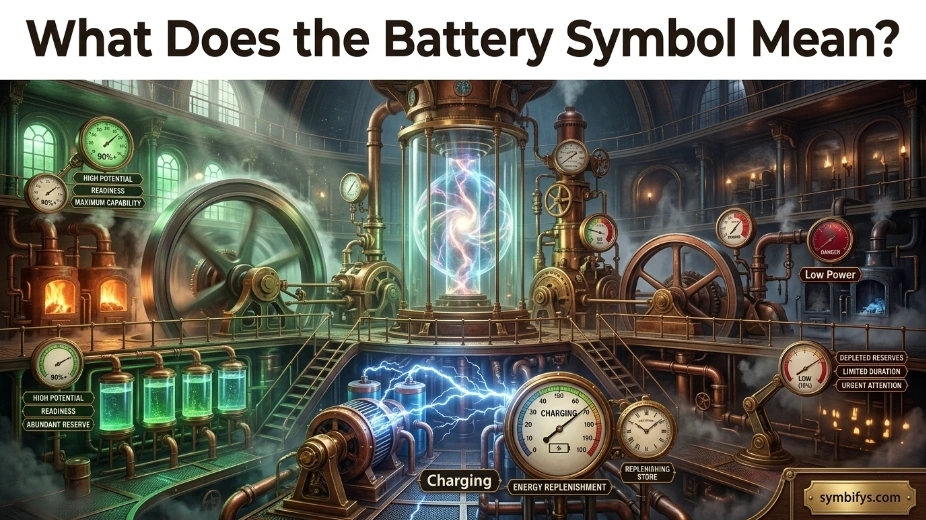
The battery symbol is a universal icon used to represent electrical power stored in a battery. Although the basic shape remains similar across devices, its exact meaning depends on the context.
For most electronic devices, the symbol helps users monitor battery life and charging progress. In vehicles, however, the battery symbol serves as a warning indicator for the charging system.
Here’s a quick overview:
| Where You See It | What It Usually Means |
|---|---|
| Smartphone | Remaining battery level or charging status |
| Laptop | Battery percentage, charging, or low battery warning |
| Tablet | Battery health and power status |
| Smartwatch | Remaining battery charge |
| Car dashboard | Charging system malfunction |
| Electric vehicle | Battery system information or warning |
| UPS or backup power system | Battery capacity or battery fault |
Although the icon looks familiar everywhere, you should never assume it has the same meaning on every device.
Why Is the Battery Symbol Important?

The battery symbol acts as an early warning system. Instead of waiting until a device suddenly turns off or fails to start, the icon gives users valuable information about its current power condition.
It helps you:
- Know when to recharge a device
- Monitor charging progress
- Prevent unexpected shutdowns
- Detect charging problems early
- Protect battery lifespan
- Identify possible electrical faults
Ignoring battery warnings—especially in vehicles—can sometimes lead to larger and more expensive problems.
The Different Meanings of the Battery Symbol by Device
On Smartphones
For phones, the battery symbol is one of the most frequently viewed icons.
It usually indicates:
- Current battery percentage
- Charging in progress
- Low battery
- Battery saver mode
- Fast charging
- Wireless charging
- Battery health warnings (on some devices)
Many smartphones also change the icon’s color to communicate different battery conditions.
For example:
- Green often indicates charging or a healthy battery.
- Red usually means the battery is critically low.
- Yellow or orange commonly represents Low Power Mode or Battery Saver.
- Gray may indicate normal battery status.
Modern smartphones may also display additional symbols such as lightning bolts or charging animations inside the battery icon.
On Laptops
Laptop battery symbols provide more detailed information because computers rely heavily on battery performance.
Common meanings include:
- Battery percentage remaining
- Plugged in and charging
- Fully charged
- Battery not charging
- Battery replacement recommended
- Battery health alerts
Operating systems like Windows and macOS may display different battery icons depending on charging status and battery condition.
Some laptops even estimate the remaining hours of use based on current power consumption.
On Car Dashboards
One of the most misunderstood battery symbols appears in vehicles.
Many drivers assume the battery warning light means they need a new battery. In reality, that’s often not the case.
The dashboard battery symbol usually indicates a problem with the vehicle’s charging system, which may involve:
- Alternator failure
- Loose or damaged drive belt
- Faulty voltage regulator
- Corroded battery terminals
- Wiring problems
- Weak electrical connections
Once the engine is running, the alternator—not the battery—supplies electricity to most vehicle systems.
If the battery warning light stays on while driving, your vehicle may eventually lose electrical power and stall after the battery becomes depleted.
What Should You Do?
If the battery light comes on while driving:
- Turn off unnecessary electrical accessories.
- Avoid long-distance driving.
- Drive to a safe location or repair shop.
- Have the charging system inspected as soon as possible.
Ignoring this warning could leave you stranded.
On Electric Vehicles
Electric vehicles use much larger battery systems than gasoline-powered cars.
The battery symbol may indicate:
- High-voltage battery charge level
- Battery temperature
- Charging progress
- Reduced battery performance
- Battery management system warnings
- Battery fault requiring service
Unlike traditional vehicles, EV battery symbols often appear alongside additional system notifications that provide more detailed information.
On Smartwatches and Wearable Devices
Wearables rely on compact rechargeable batteries.
The battery icon helps users understand:
- Remaining battery percentage
- Charging status
- Low battery alerts
- Battery saver mode
- Estimated remaining runtime
Since smartwatches have smaller batteries, users often monitor this symbol several times throughout the day.
Common Battery Symbol Colors and Their Meanings
Color plays an important role in helping users quickly understand battery status.
| Battery Symbol Color | Typical Meaning |
|---|---|
| Green | Charging or healthy battery |
| White | Normal battery level |
| Gray | Standard battery display |
| Yellow | Battery Saver or Low Power Mode enabled |
| Orange | Low battery or power-saving mode on some devices |
| Red | Critically low battery requiring immediate charging |
| Blue | Charging or special battery feature on some devices |
Manufacturers may use different color schemes, so the exact meaning can vary slightly.
What Does a Flashing Battery Symbol Mean?
A flashing battery symbol often signals that something needs attention.
Depending on the device, it could mean:
- Battery is extremely low
- Charging has failed
- Battery isn’t detected correctly
- Battery temperature is too high or too low
- Charger is incompatible
- Battery needs replacement
If the symbol continues flashing after reconnecting the charger, inspect the charging cable, power adapter, or battery for possible issues.
What Do Battery Symbol Variations Mean?
Manufacturers often add extra graphics to the standard battery icon to communicate specific conditions.
Here are some common variations:
| Battery Symbol | Meaning |
|---|---|
| Battery with lightning bolt | Charging in progress |
| Battery with plug | Connected to external power |
| Battery with exclamation mark | Battery or charging issue detected |
| Empty battery outline | Battery almost depleted |
| Battery with question mark | Battery not recognized |
| Battery with thermometer | Battery temperature warning |
| Battery with leaf | Power-saving or eco mode enabled |
These symbols help users identify the exact issue without reading additional messages.
Why Does the Battery Symbol Turn Red?
A red battery symbol is designed to grab your attention.
In most electronic devices, it means the remaining battery level has reached a critically low point—often below 10% or even 5%.
When you see a red battery symbol:
- Save any important work.
- Plug in the charger as soon as possible.
- Close unnecessary apps.
- Reduce screen brightness.
- Enable Battery Saver if available.
If ignored, the device will likely shut down automatically to prevent data corruption and protect battery health.
Can the Battery Symbol Indicate a Fault?
Yes. While the battery symbol often provides routine information, it can also serve as a warning that something isn’t working correctly.
Possible problems include:
- A worn-out battery
- Damaged charging cable
- Faulty charger
- Charging port issues
- Battery calibration errors
- Software glitches
- Electrical system failures in vehicles
The key is to pay attention to when the symbol appears. A battery icon that behaves differently than usual—such as remaining on while plugged in or appearing unexpectedly—may indicate an underlying issue rather than normal battery status.
How to Troubleshoot a Battery Symbol Warning
If a battery symbol appears unexpectedly, don’t panic. In many cases, the cause is minor and can be resolved with a few simple checks.
Start with these steps:
- Check the battery level. If it’s simply low, connect the recommended charger and allow the device to charge for several minutes.
- Inspect the charger and cable. Look for frayed wires, bent connectors, or loose connections.
- Try a different power outlet. Sometimes the issue is the power source rather than the device.
- Restart the device. A reboot can clear temporary software glitches affecting the battery indicator.
- Update the software. Manufacturers occasionally release updates that improve battery management.
- Check battery health. Many smartphones and laptops include built-in battery health tools.
- Seek professional service if the warning persists after basic troubleshooting.
For vehicles, don’t rely on guesswork. A battery warning light should be diagnosed promptly because the charging system can fail even if the battery itself is in good condition.
Common Mistakes People Make
Many people misunderstand the battery symbol, leading to unnecessary repairs or ignored warning signs.
Avoid these common mistakes:
- Assuming every battery symbol means the battery is bad.
- Ignoring a car’s battery warning light because the vehicle still runs.
- Using low-quality or incompatible chargers.
- Continuing to use a swollen or damaged battery.
- Waiting until the battery reaches 0% every day.
- Exposing devices to extreme heat or cold.
- Believing all battery icon colors mean the same thing on every device.
Understanding the context helps you respond appropriately.
Tips to Extend Battery Life
Good charging habits can increase both daily battery performance and long-term lifespan.
Here are some practical tips:
- Keep your device’s software up to date.
- Use manufacturer-approved chargers whenever possible.
- Avoid exposing batteries to excessive heat.
- Don’t leave devices plugged in continuously if recommended otherwise by the manufacturer.
- Reduce screen brightness when practical.
- Turn off wireless features you aren’t using.
- Enable Battery Saver during long days away from a charger.
- Store unused rechargeable devices with a partial charge instead of completely full or empty.
Modern lithium-ion batteries don’t require complete discharge cycles, unlike older battery technologies.
The Science Behind the Battery Symbol
The battery symbol represents stored electrical energy, but the science behind it is much more interesting.
Most modern electronics use lithium-ion batteries. Inside each battery, chemical reactions move lithium ions between the positive and negative electrodes. This movement creates electrical current that powers the device.
A battery management system (BMS) continuously monitors:
- Charge level
- Voltage
- Temperature
- Charging speed
- Overall battery health
The battery icon you see on your screen is generated using data collected by this system. Instead of measuring energy directly, the device estimates the remaining charge using sophisticated algorithms based on voltage, current flow, and usage patterns.
In vehicles, the dashboard battery warning works differently. It monitors the charging system’s electrical output rather than simply measuring battery capacity.
The Psychological Meaning of the Battery Symbol
Beyond electronics, the battery symbol has become a familiar metaphor in everyday life.
People often associate it with:
- Personal energy
- Mental capacity
- Emotional resilience
- Productivity
- Burnout
- Recovery and self-care
For example, someone might say, “My battery is drained,” to describe feeling physically or emotionally exhausted.
This modern symbolism reflects how closely people relate their own energy levels to the devices they use every day.
Cultural and Symbolic Interpretations
The battery symbol doesn’t carry a universal cultural or historical meaning in the way older symbols do. Instead, its symbolism has developed alongside modern technology.
Today, it’s commonly associated with:
- Readiness
- Dependability
- Strength
- Endurance
- Renewal through recharging
- Preparedness
Businesses sometimes use battery imagery in marketing to represent efficiency, performance, or long-lasting products.
These interpretations are symbolic rather than rooted in ancient traditions.
Is There a Spiritual or Biblical Meaning?
Some people wonder whether the battery symbol has a spiritual or biblical meaning.
Spiritual Perspective
In contemporary spiritual discussions, the battery symbol is sometimes used as a metaphor for restoring inner energy, balance, or emotional well-being. It may represent taking time to rest, reflect, and “recharge.”
These interpretations are modern symbolic ideas rather than established spiritual teachings.
Biblical Perspective
The battery symbol itself does not appear in the Bible.
However, some readers draw personal parallels between a rechargeable battery and biblical themes such as:
- Renewing strength
- Finding rest
- Depending on God’s guidance
- Spiritual endurance
These comparisons are illustrative and should not be understood as official biblical symbolism or doctrine.
Expert Insights
Battery specialists generally agree on several best practices:
- Heat is one of the biggest factors that shortens battery lifespan.
- Frequent shallow charging is usually healthier for lithium-ion batteries than repeated full discharges.
- Genuine charging accessories typically provide more reliable performance.
- A battery warning light in a vehicle deserves prompt attention because it often indicates a charging system issue, not just a weak battery.
- If a battery becomes swollen, leaks, or emits an unusual odor, stop using it immediately and follow proper disposal or recycling guidelines.
These habits help maximize both safety and battery longevity.
Frequently Asked Questions
What does the battery symbol with a lightning bolt mean?
It usually means your device is charging. On some phones and tablets, it can also show that fast charging is turned on.
Why is my battery symbol showing but the device isn’t charging?
A damaged cable, faulty charger, dirty charging port, incompatible adapter, software glitch, or worn-out battery could all be the cause. Checking each of these can help narrow down the problem.
Does a battery warning light always mean I need a new car battery?
Not usually. In most cars, that light points to a charging system problem, such as a failing alternator, a loose belt, or another electrical issue.
Why is my battery draining so quickly?
Things like high screen brightness, apps running in the background, weak signal strength, an older battery, or extreme temperatures can drain power much faster than normal.
Is it bad to charge my phone overnight?
For most modern smartphones, overnight charging is generally safe because they stop charging once the battery is full. Using a reliable charger and keeping the phone from overheating can help extend battery life.
What does an empty battery symbol mean?
It means your battery is almost out of power. Plugging in the device as soon as you can will help prevent it from shutting down.
Can software updates affect the battery symbol?
Yes. An update may improve battery readings, add battery health features, or slightly change the way the battery icon looks.
What should I do if the battery symbol keeps flashing?
Start by checking the charger, cable, charging port, and battery. If everything looks fine and the icon keeps flashing, the device may need professional repair.
Why does my battery percentage suddenly drop?
This can happen because of battery calibration issues, an aging battery, temperature changes, or a sudden increase in power usage.
Can cold weather affect the battery symbol?
Yes. Cold temperatures can temporarily reduce battery performance, making the battery level appear lower until the device warms back up.
Conclusion
The battery symbol may be small, but it communicates valuable information about the health and status of your device or vehicle.
Whether it’s showing remaining charge on a smartphone, warning of a charging-system problem in a car, or indicating battery health on a laptop, understanding what the icon means helps you respond before a minor issue becomes a major one.
By recognizing different battery symbols, colors, and warning signs—and following good charging habits—you can improve battery performance, extend its lifespan, and avoid unexpected interruptions when you need your devices most.
Discover More Post
What Does the Car With Lock Symbol Mean? Common Causes & Fixes 2026

Klevin is a language and digital content writer with over 6 years of experience creating engaging, reader-focused articles. As a contributor at Symbifys.com, he specializes in explaining internet slang, text abbreviations, symbols, emojis, and modern communication trends in a clear and easy-to-understand way. His writing combines thorough research with practical examples, helping readers quickly find accurate answers. Klevin is committed to producing trustworthy, SEO-friendly content that is both informative and enjoyable to read. His goal is to make complex topics simple, useful, and accessible for every visitor.